Connect your OANDA account using your Personal Access Token and start importing your full trading history into Tracker Fx automatically. You'll need both the Personal Access Token and your Account ID.
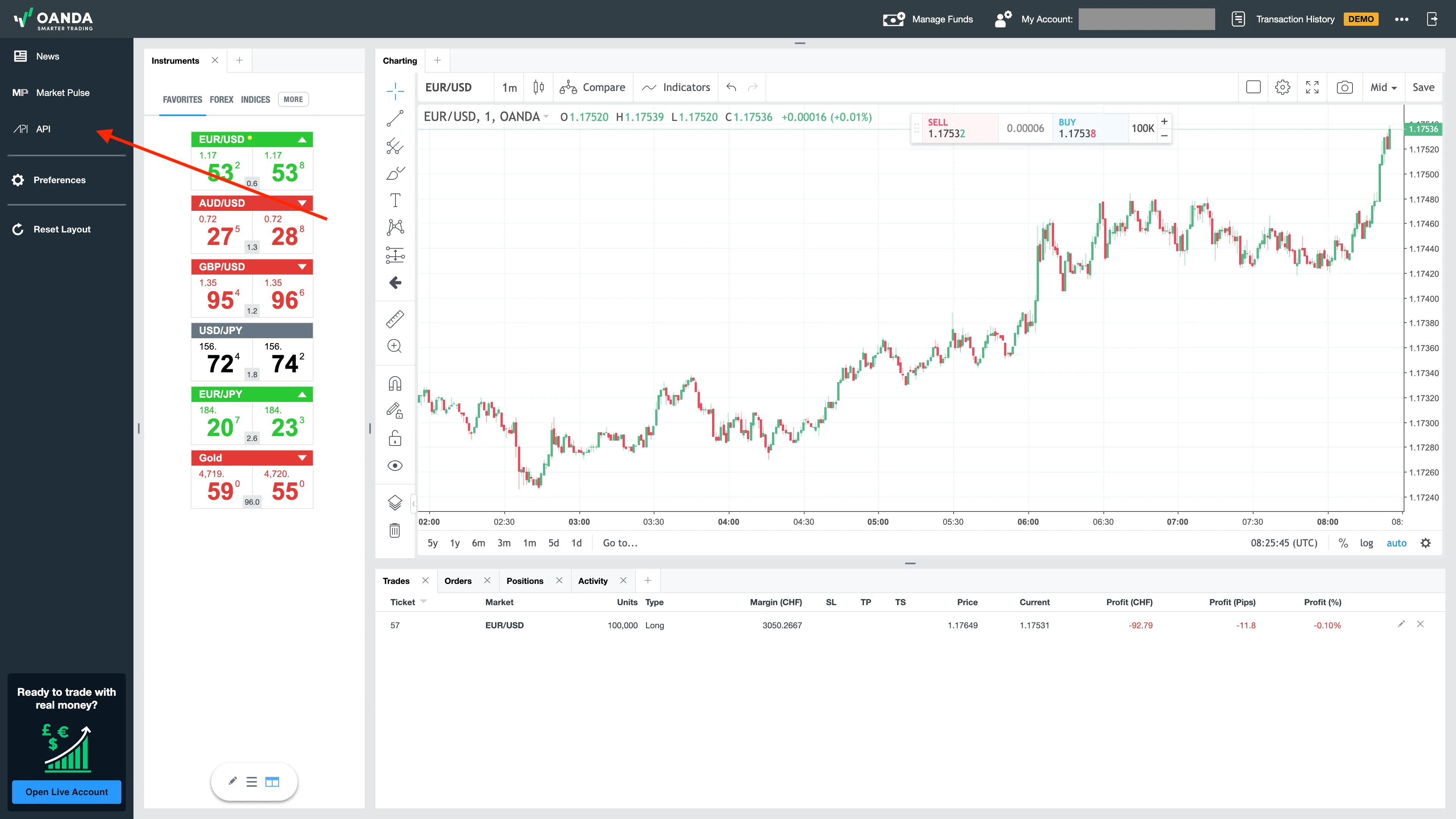
In your trading environment, click API in the left menu.
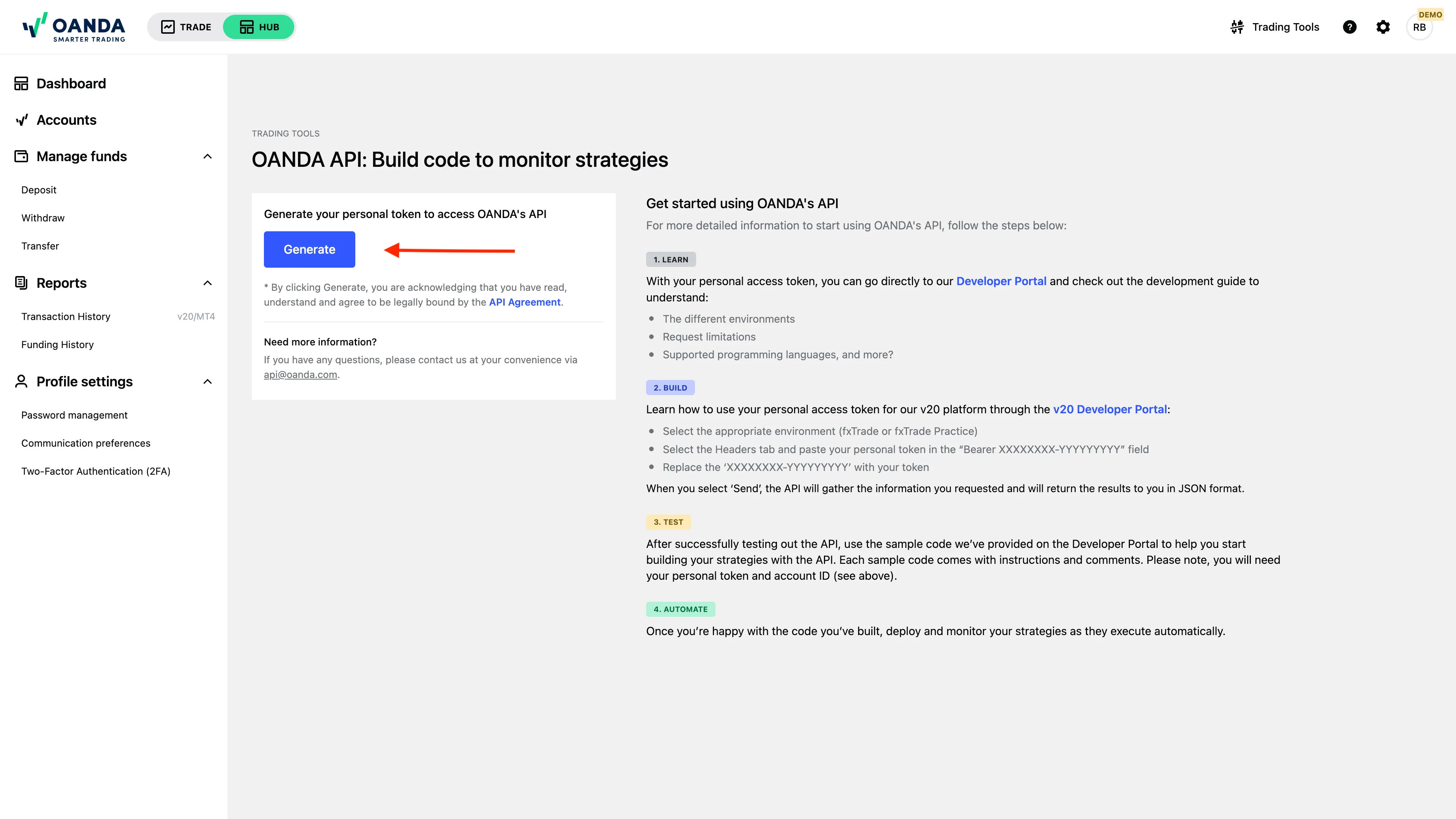
Click Generate (or Revoke and regenerate if you already have one). Read and accept the terms when prompted.
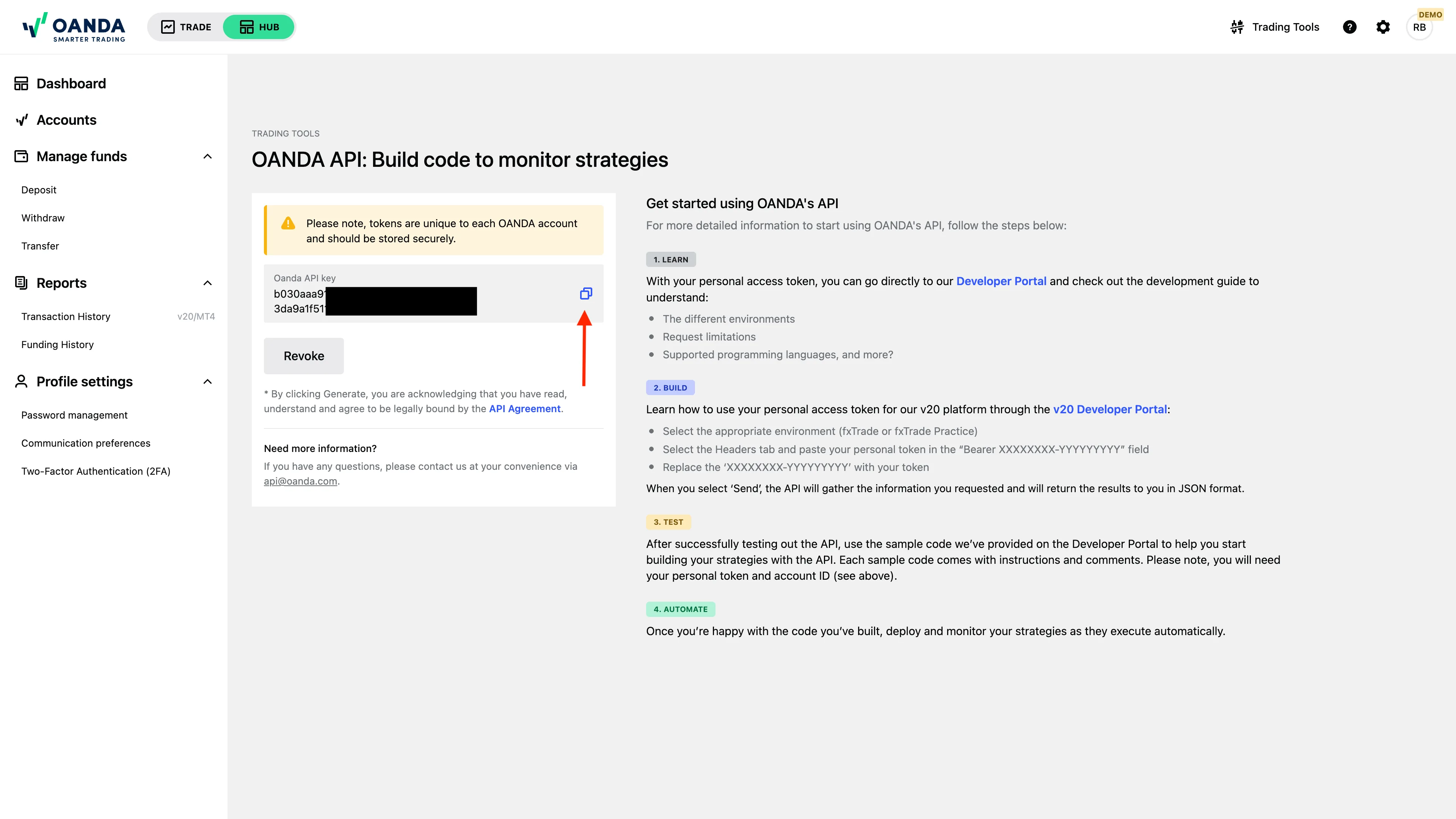
Copy the token immediately - it will only be shown once.
The token is only shown once and cannot be recovered. Store both your API Token and your Account ID securely before closing the page.
Treat the token like a password - anyone with it can read your account data.
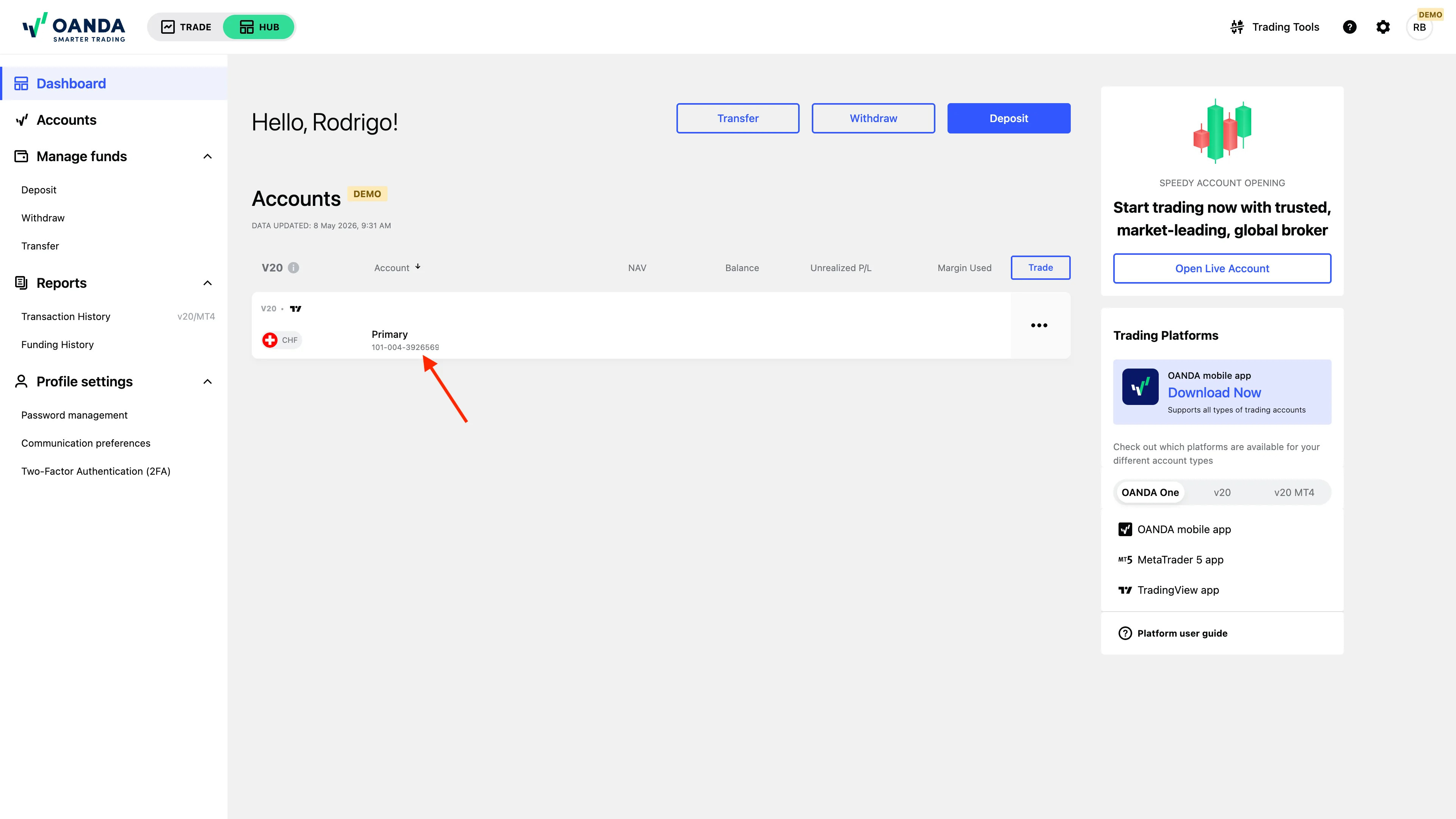
In OANDA Hub, open the account you want to track. Locate the Account ID at the top of the page.
It follows the format 001-001-1234567-001.
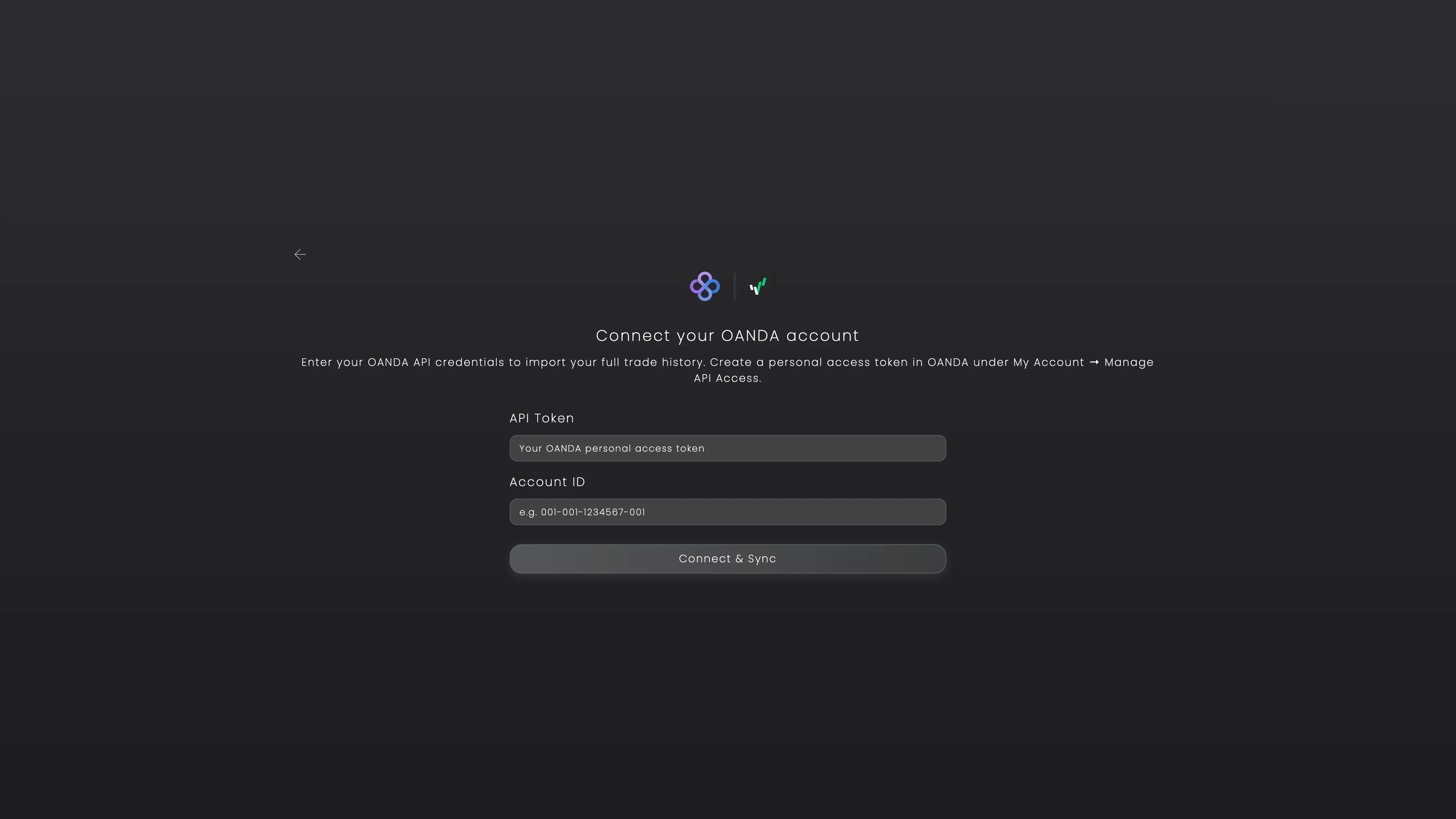
Open Tracker Fx and go to Add New Account. Choose OANDA, paste your API Token and Account ID, and click Connect & Sync.
We auto-detect whether your account is live or practice - no need to choose. New trades sync every hour.
Heads up: The OANDA REST API is only available outside the EU. If your account is registered in the EU you will not see the API option in your OANDA Hub.
Need help? If you need any further assistance, please feel free to contact us at support@trackerfx.com.
We use essential cookies to run the site and analytics cookies (Google Analytics) to understand what's working. You can accept or reject. See our Privacy Policy.
 Tracker Fx Team